
使用Labview擷取Webcam影像 - IMAQ for USB Camera
使用軟體:
Labview 8.2
Vision 8.2.0 Development Module
NI-IMAQ for USB Cameras
使用硬體:
羅技 QuickCam® Chat
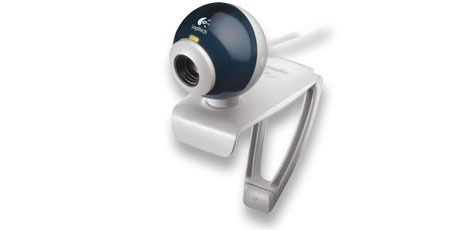
以上Labview 8.2與Vision 8.2.0 Development Module在NI網站皆有試用版可供下載,試用時間為30天
NI-IMAQ for USB Cameras的下載網頁為https://zone.ni.com/devzone/cda/epd/p/id/5030,(或ftp://ftp.ni.com/pub/devzone/epd/usb_installer_setup.exe)
需要先灌的軟體為:
LabVIEW 7.0 or higher with NI Vision 7.1 or higher for the USB LabVIEW support.
- Vision Assistant 7.1 or higher for the USB Vision Assistant plugin module.
資料收集:
https://labview-tech.blogspot.com
步驟:
安裝順序為 : Labview 8.2 –>Vision 8.2.0 Development Module–>NI-IMAQ for USB Cameras
安裝完成之後到 C:\Program Files\National Instruments\LabVIEW 8.2\examples\imaq\會找到imaqUSB examples
打開imaqUSB examples
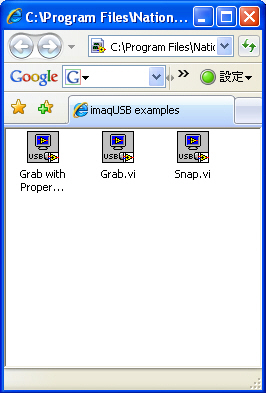
4, 點選Grab.vi , 按RUN, 即可從webcam中擷取影像
Control panel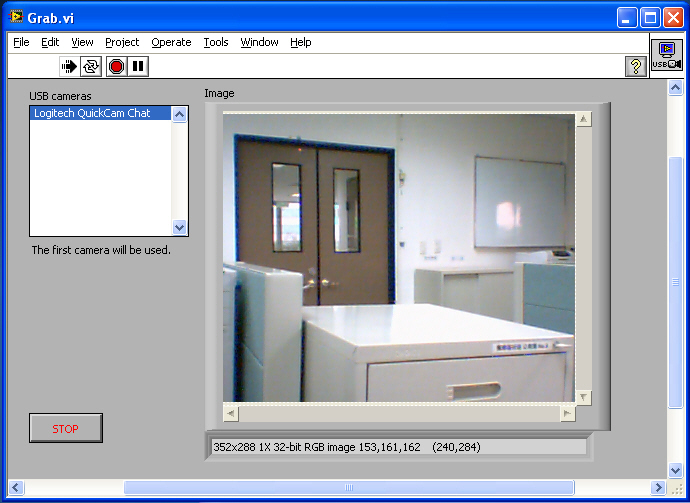
Block diagram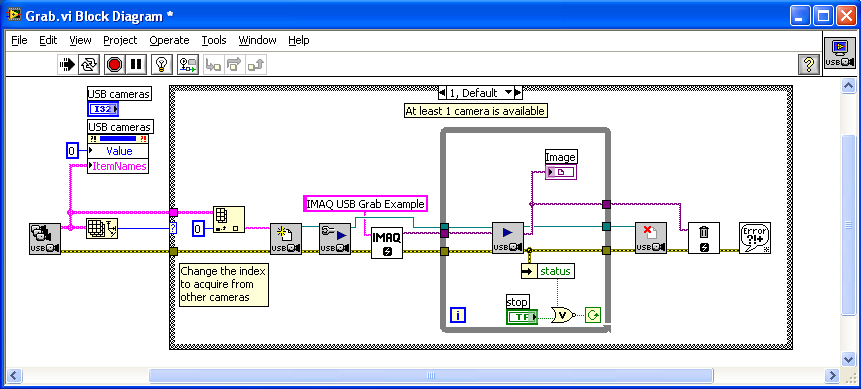
本部落格所有文章除特別聲明外,均採用CC BY-NC-SA 4.0 授權協議。轉載請註明來源 X Workshop|量測自動化 × 嵌入式 × AI 開發實戰!