
使用App Inventor 2 開發「藍牙(Bluetooth)」Android app傳送資料到Arduino Mega2560
接下來會使用MIT的App Inventor 2開發藍牙(Bluetooth)Android app,傳送資料到Arduino Mega2560上,
使用的藍牙模組是HC-06,目前App Inventor 2並不支援BLE,但要享受無線控制的樂趣也並不是一定要使用BLE,
重點是動手作的樂趣,使用App Inventor 2,Arduino,以及HC-06,如果你想要自己組一台遙控車,相信也不是一件難事。
關於雙A(Android與arduino)的藍牙模組溝通,網路上也有不少文章,都可以參考。
由於之前介紹過App Inventor 2如何使用,這裡就僅貼上Designer與Blocks的內容:
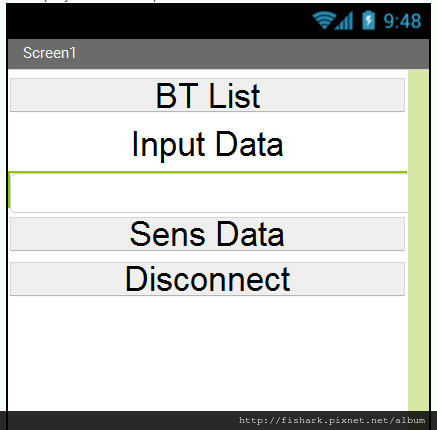
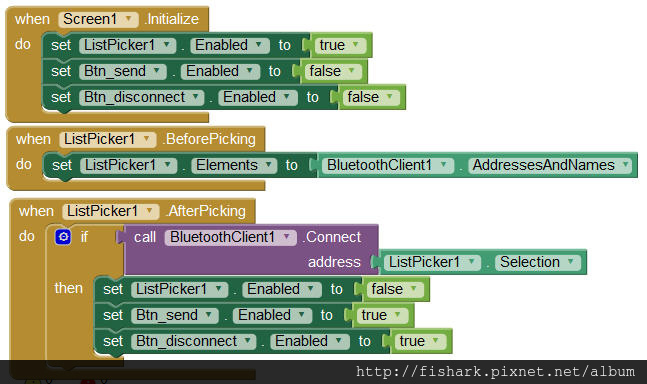
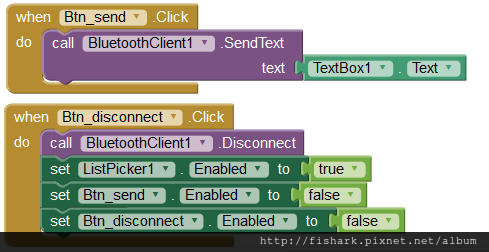
寫完之後封裝成apk,然後download到Android手機上
然後是Arduino的Code,upload到Arduino Mega2560上。
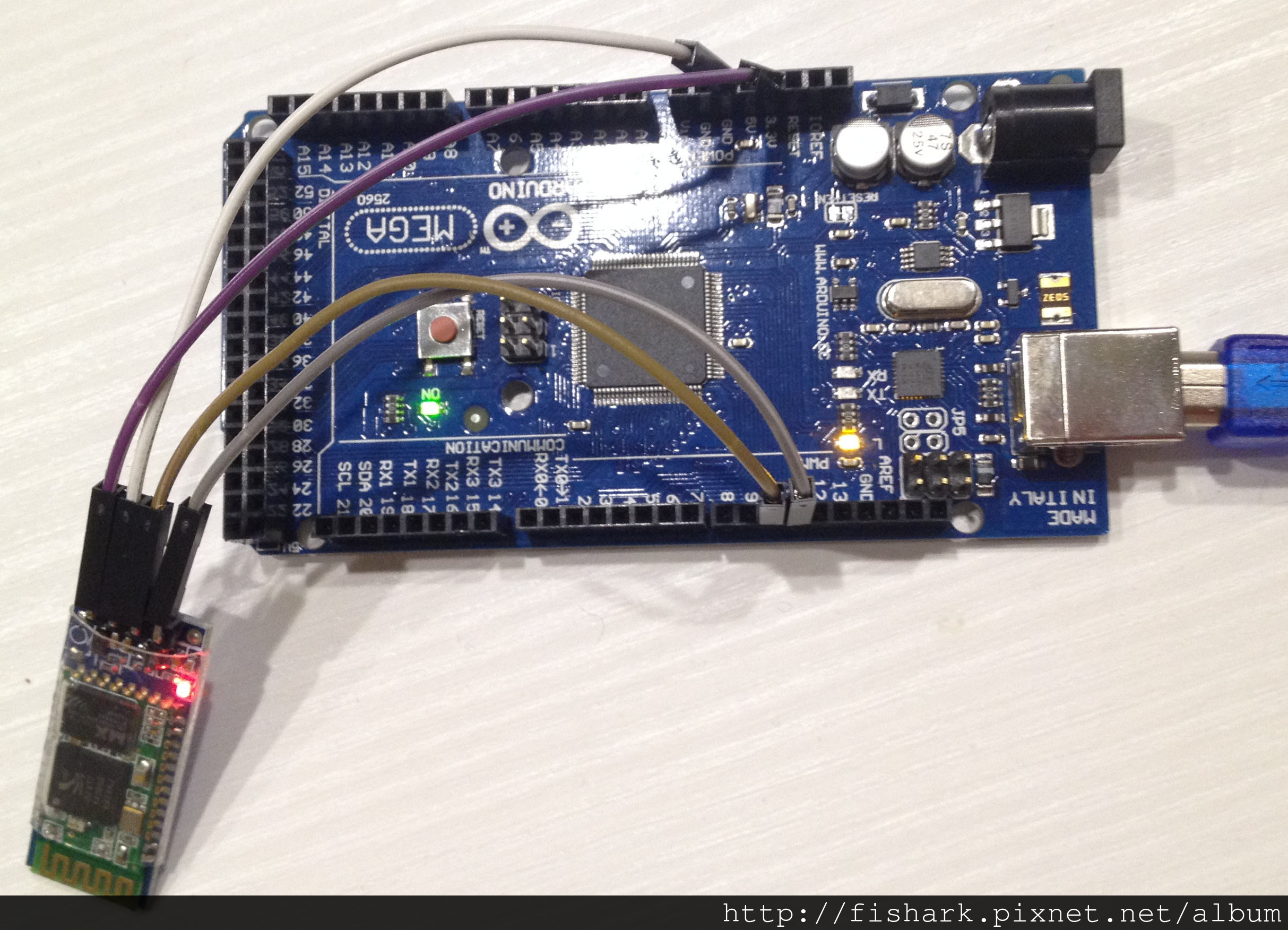
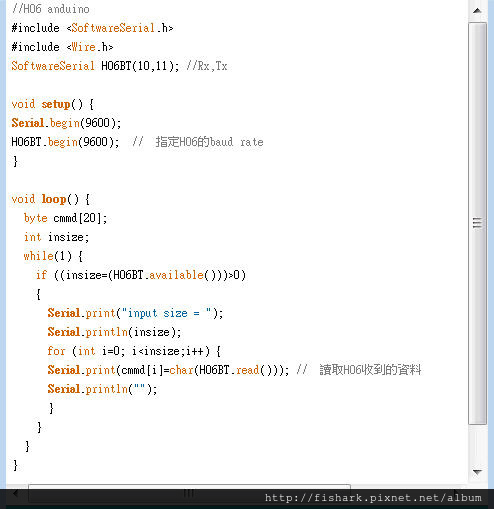
1 | //H06 anduino code |
測試結果
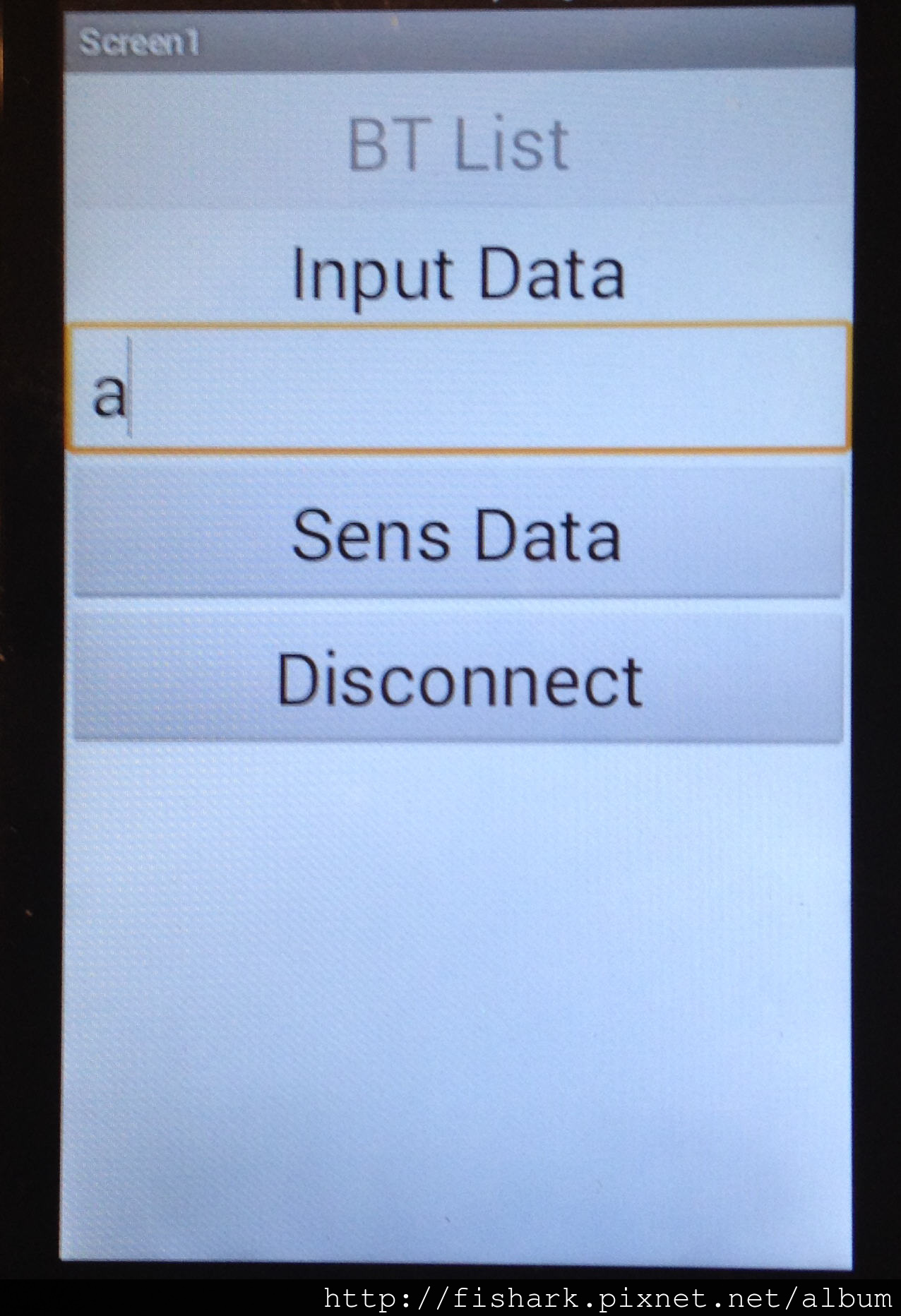
(1)手機app輸入
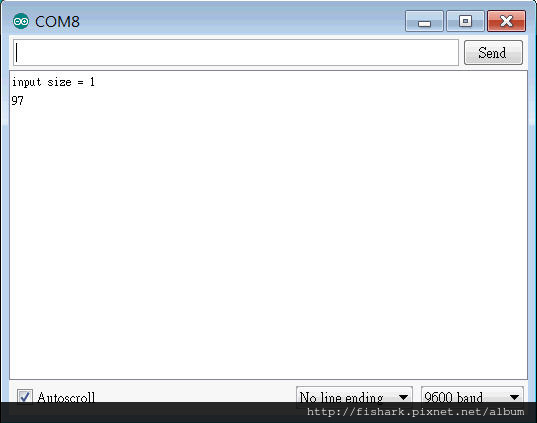
(2)Arduino上COM port顯示
本部落格所有文章除特別聲明外,均採用CC BY-NC-SA 4.0 授權協議。轉載請註明來源 X Workshop|量測自動化 × 嵌入式 × AI 開發實戰!