
Arduino與processing結合: 資料傳輸與儲存(text file)
這是一篇Arduino與processing結合的文件,
為什麼要使用這兩個軟體,一是程式撰寫概念相近,二是同是開放軟體與硬體,
可以藉由Arduino與processing的合作,產生low cost的軟硬體整合,
其兩者的溝通,主要是藉由串列傳輸來達成,
在Arduino中要使用Serial.write()傳輸資料,而在Processing中則是使用serial.read()讀取資料,其baud rate要設定一致,然後宣告一個新物件PrintWriter output,
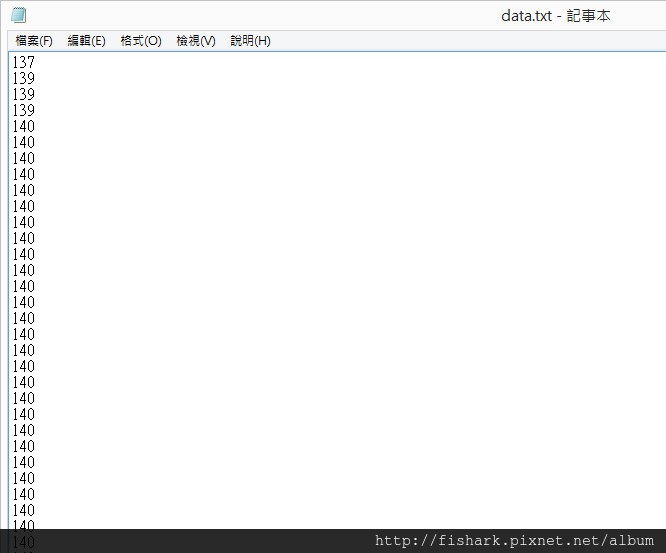
裡用output = createWriter(“data.txt”)在Processing程式所屬資料夾建立檔案,利用output.println(),與output.flush()將字元儲存成text到檔案中。
我們使用一個簡單而實用的範例: 利用Arduino讀取Analog pin0的資料,可在Pin0連接可變電阻,然後將資料傳輸到Processing然後存成text檔。
Arduino code:
1 | 1. int AnRead = 0; // set pin 0 to read the value of variable resistor |
- }
Processing code:
- import processing.serial.*;
- Serial serial;
- int VariableRes;
- PrintWriter output;
- void setup()
- {
- //set the size of canvas
- size(320,240);
- serial = new Serial(this,”COM4”,9600);
- // Create a new file in the sketch directory
- output = createWriter(“data.txt”);
- }
- void draw()
- {
- if (serial.available()>0)
- {
- VariableRes = serial.read();
- println(VariableRes);
- background(255);
- fill(255,255,0); //yellow
- ellipse(160, 120, VariableRes, 55);
- // ellipse(a, b, c, d)
- //Parameters
- //a float: x-coordinate of the ellipse
- //b float: y-coordinate of the ellipse
- //c float: width of the ellipse by default
- //d float: height of the ellipse by default
- output.println(VariableRes); // Write the coordinate to the file
- output.flush(); // Writes the remaining data to the file
- }
- }
執行結果:
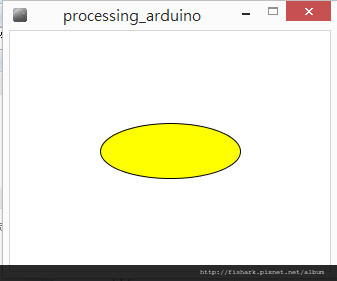
調整可變電阻會改變橢圓的寬度。
data.txt的內容為:
參考文章:
https://playground.arduino.cc/Interfacing/Processing
https://lab.cavedu.com/processing
https://blog.lyhdev.com/2012/04/processing.html
https://zh.m.wikibooks.org/zh-tw/Processing%E5%85%A5%E9%97%A8%E6%8C%87%E5%8D%97
https://www.makezine.com.tw/make2599131456/processing1youbike
https://coopermaa2nd.blogspot.tw/2011/03/processing-arduino.html