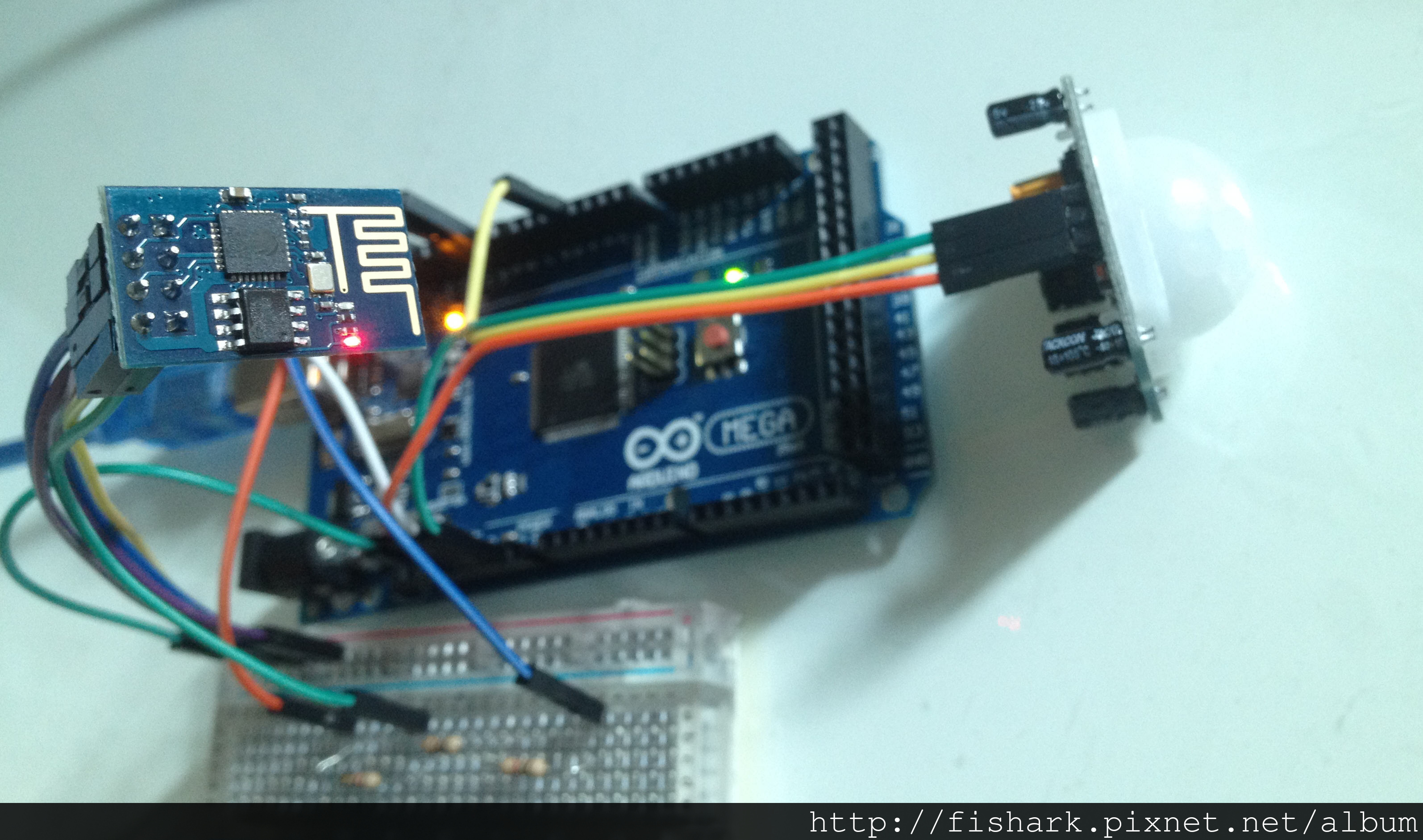
這是一個對ESP8266 WIFI模組的測試,ESP8266是一個價格便宜的WIFI模組,
而且是Mega2560用UART即可傳輸資料到ESP8266,相當方便,
首先,要使用ESP8266前要對其指令先有了解,然後是到thingspeak.com註冊,thingspeak.com提供8 channels的資料上傳,
幸運的是,我們可以不必從零開始,有依些範例是前人寫好,我們可以參考:
thingspeak.com註冊可以參考: https://www.instructables.com/id/ESP8266-Wifi-Temperature-Logger/?ALLSTEPS
ESP8266的接線可以參考:https://electronut.in/an-iot-project-with-esp8266/
以下是我寫的Arduino code:
1
2
3
4
5
6
7
8
9
10
11
12
13
14
15
16
17
18
19
20
21
22
23
24
25
26
27
28
29
30
31
32
33
34
35
36
37
38
39
40
41
42
43
44
45
46
47
48
49
50
51
52
53
54
55
56
57
58
59
60
61
62
63
64
65
66
67
68
69
70
71
72
73
74
75
76
77
78
79
80
81
82
83
84
85
86
87
88
89
90
91
92
93
94
95
96
97
98
99
100
101
102
103
104
105
| #include <SoftwareSerial.h>
#define MYID "PowerNet"
#define PASS "12345678"
#define IP "184.106.153.149"
String GET = "GET /update?key=CTSJW3KYC9QFDXSZ&field1=";
int IRpin = 4;
String IRF;
SoftwareSerial wifi(12, 13);
void setup()
{
pinMode(IRpin, INPUT);
wifi.begin(9600);
Serial.begin(9600);
sendDebug("AT+RST");
delay(5000);
if(wifi.find("OK")){
Serial.println("RECEIVED: OK");
connectWiFi();
}
else {
Serial.println("RECEIVED: Error");
}
connectWiFi();
}
void loop(){
char IR = digitalRead(IRpin);
if (IR) {
IRF = "1";
}
else {
IRF = "0";
}
Serial.println("IRF = "+IRF);
updateStatus(IRF);
delay(16000);
}
void sendDebug(String cmd){
Serial.print("SEND: ");
Serial.println(cmd);
wifi.println(cmd);
}
void updateStatus(String IRF){
String cmd = "AT+CIPSTART=\"TCP\",\"";
cmd += IP;
cmd += "\",80";
wifi.println(cmd);
Serial.println(cmd);
delay(2000);
if(wifi.find("Error")){
Serial.println("AT+CIPSTART error");
return;
}
cmd = GET;
cmd += IRF;
cmd += "\r\n";
Serial.println(cmd);
wifi.print("AT+CIPSEND=");
wifi.println(cmd.length());
if(wifi.find(">")){
Serial.print(">");
Serial.print(cmd);
wifi.print(cmd);
}
else{
wifi.println("AT+CIPCLOSE");
Serial.println("AT+CIPCLOSE");
}
if(wifi.find("OK")){
Serial.println("RECEIVED: Update OK");
}
else{
Serial.println("RECEIVED: Update Error");
}
}
boolean connectWiFi(){
wifi.println("AT+CWMODE=1");
delay(2000);
String cmd="AT+CWJAP=\"";
cmd+=MYID;
cmd+="\",\"";
cmd+=PASS;
cmd+="\"";
wifi.println(cmd);
Serial.println(cmd);
delay(5000);
if(wifi.find("OK")){
Serial.println("Connnection RECEIVED: OK");
return true;
}else{
Serial.println("Connection RECEIVED: Error");
return false;
}
}
|
以及用COM monitor觀察程式的重要步驟是否都正確執行,程式碼中有Serial.println中的輸出項內容都是偵錯功能,
將人體紅外線感測器HC-SR501的資料傳到Thingspeak.com,
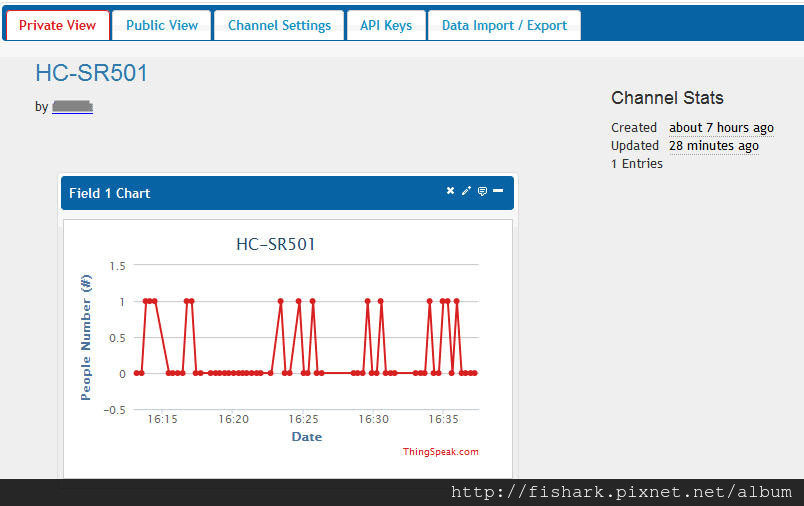
最後是系統的配置圖,