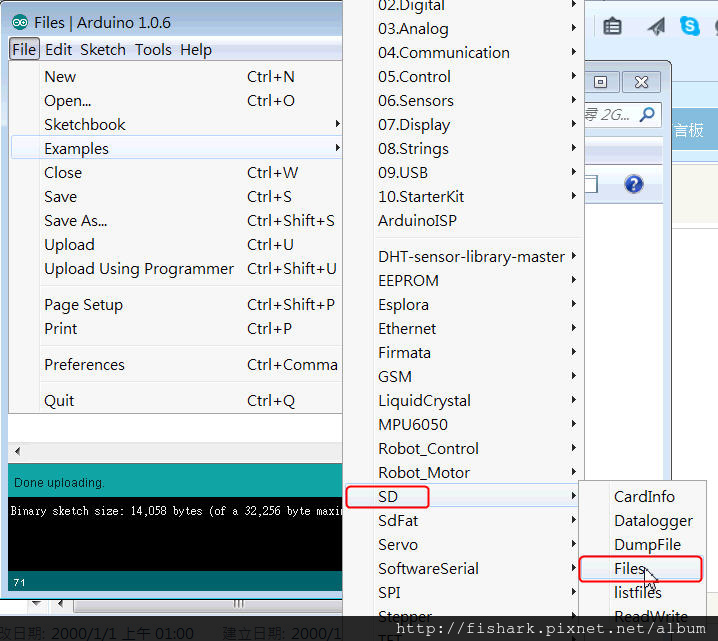
* SD card attached to SPI bus as follows: ** MOSI - pin 11 ** MISO - pin 12 ** CLK - pin 13 ** CS - pin 4
1
2
3
4
// On the Ethernet Shield, CS is pin 4. Note that even if it's not
// used as the CS pin, the hardware CS pin (10 on most Arduino boards,
// 53 on the Mega) must be left as an output or the SD library
// functions will not work.
依註解說明,使用UNO,CS需設成Pin 10,也就是const int chipSelect = 10;
/* SD card basic file example This example shows how to create and destroy an SD card file The circuit: * SD card attached to SPI bus as follows: ** MOSI - pin 11 ** MISO - pin 12 ** CLK - pin 13 ** CS - pin 4 created Nov 2010 by David A. Mellis modified 9 Apr 2012 by Tom Igoe This example code is in the public domain. */ #include<SD.h>
File myFile;
voidsetup() { // Open serial communications and wait for port to open: Serial.begin(9600); while (!Serial) { ; // wait for serial port to connect. Needed for Leonardo only }
Serial.print("Initializing SD card..."); // On the Ethernet Shield, CS is pin 4. It's set as an output by default. // Note that even if it's not used as the CS pin, the hardware SS pin // (10 on most Arduino boards, 53 on the Mega) must be left as an output // or the SD library functions will not work. pinMode(10, OUTPUT);
if (!SD.begin(10)) { Serial.println("initialization failed!"); return; } Serial.println("initialization done.");
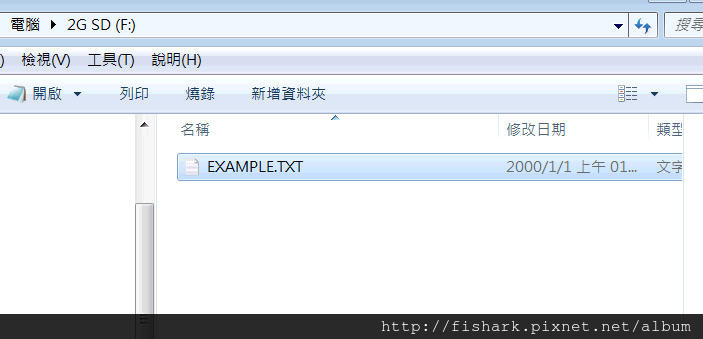
// open a new file and immediately close it: Serial.println("Creating example.txt..."); myFile = SD.open("example.txt", FILE_WRITE); myFile.close();
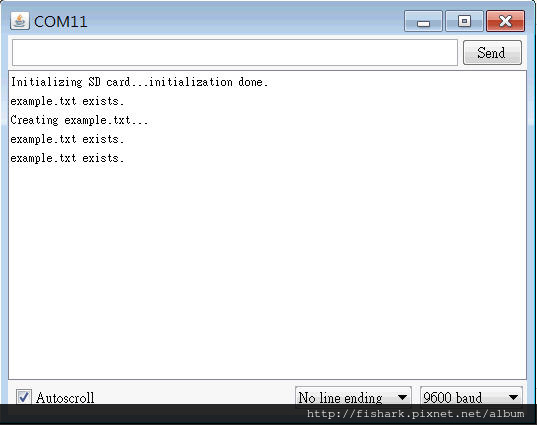
// Check to see if the file exists: if (SD.exists("example.txt")) { Serial.println("example.txt exists."); } else { Serial.println("example.txt doesn't exist."); }
// delete the file: //Serial.println("Removing example.txt..."); <---先註解掉 //SD.remove("example.txt");