1
2
3
4
5
6
7
8
9
10
11
12
13
14
15
16
17
18
19
20
21
22
23
24
25
26
27
28
29
30
31
32
33
34
35
36
37
38
39
40
41
42
43
44
45
46
47
48
49
50
51
52
53
54
55
56
57
58
59
60
61
62
63
64
65
66
67
68
69
70
71
72
73
74
75
76
77
78
79
80
81
82
83
84
85
86
87
88
89
90
91
92
93
94
95
96
97
98
99
100
101
102
103
104
105
106
107
108
109
110
111
112
113
114
115
116
117
118
119
120
121
122
123
124
125
126
127
128
129
130
131
132
133
134
135
136
137
138
139
140
141
142
143
144
145
146
147
148
149
150
151
152
153
154
155
156
157
158
159
160
161
162
163
164
165
166
167
168
169
170
171
172
173
174
175
176
177
178
179
180
181
182
183
184
185
186
187
188
189
190
191
192
193
194
195
196
197
198
199
200
201
202
203
204
205
206
207
| #define OLED_DC 11
#define OLED_CS 12
#define OLED_CLK 10
#define OLED_MOSI 9
#define OLED_RESET 13
#include <SSD1306.h>
SSD1306 oled(OLED_MOSI, OLED_CLK, OLED_DC, OLED_RESET, OLED_CS);
#define NUMFLAKES 10
#define XPOS 0
#define YPOS 1
#define DELTAY 2
#define LOGO16_GLCD_HEIGHT 16
#define LOGO16_GLCD_WIDTH 16
static unsigned char __attribute__ ((progmem)) logo16_glcd_bmp[]={
0x30, 0xf0, 0xf0, 0xf0, 0xf0, 0x30, 0xf8, 0xbe, 0x9f, 0xff, 0xf8, 0xc0, 0xc0, 0xc0, 0x80, 0x00,
0x20, 0x3c, 0x3f, 0x3f, 0x1f, 0x19, 0x1f, 0x7b, 0xfb, 0xfe, 0xfe, 0x07, 0x07, 0x07, 0x03, 0x00, };
void setup() {
Serial.begin(9600);
oled.ssd1306_init(SSD1306_SWITCHCAPVCC);
oled.display();
delay(2000);
oled.clear();
oled.fillrect(0, 0, SSD1306_LCDWIDTH-1, SSD1306_LCDHEIGHT-1, WHITE);
oled.display();
delay(2000);
oled.setpixel(10, 10, WHITE);
oled.display();
delay(2000);
oled.clear();
testdrawline();
oled.display();
delay(2000);
oled.clear();
testdrawrect();
oled.display();
delay(2000);
oled.clear();
testfillrect();
oled.display();
delay(2000);
oled.clear();
testdrawcircle();
oled.display();
delay(2000);
oled.clear();
oled.fillcircle(32, 32, 10, WHITE);
oled.display();
delay(2000);
oled.clear();
testdrawchar();
oled.display();
delay(2000);
oled.clear();
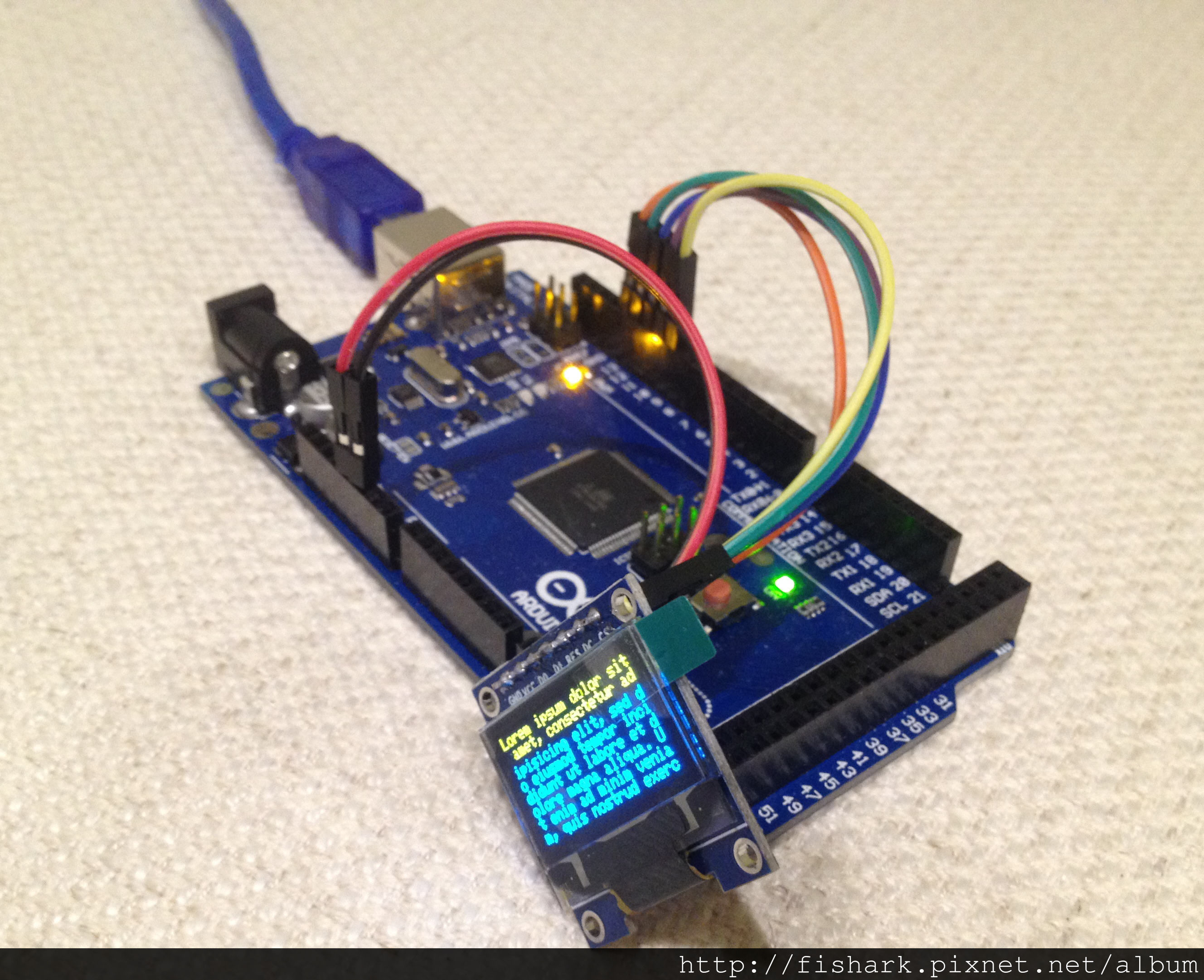
oled.drawstring(0, 0, "Lorem ipsum dolor sit amet, consectetur adipisicing elit, sed do eiusmod tempor incididunt ut labore et dolore magna aliqua. Ut enim ad minim veniam, quis nostrud exercitation");
oled.display();
delay(2000);
oled.clear();
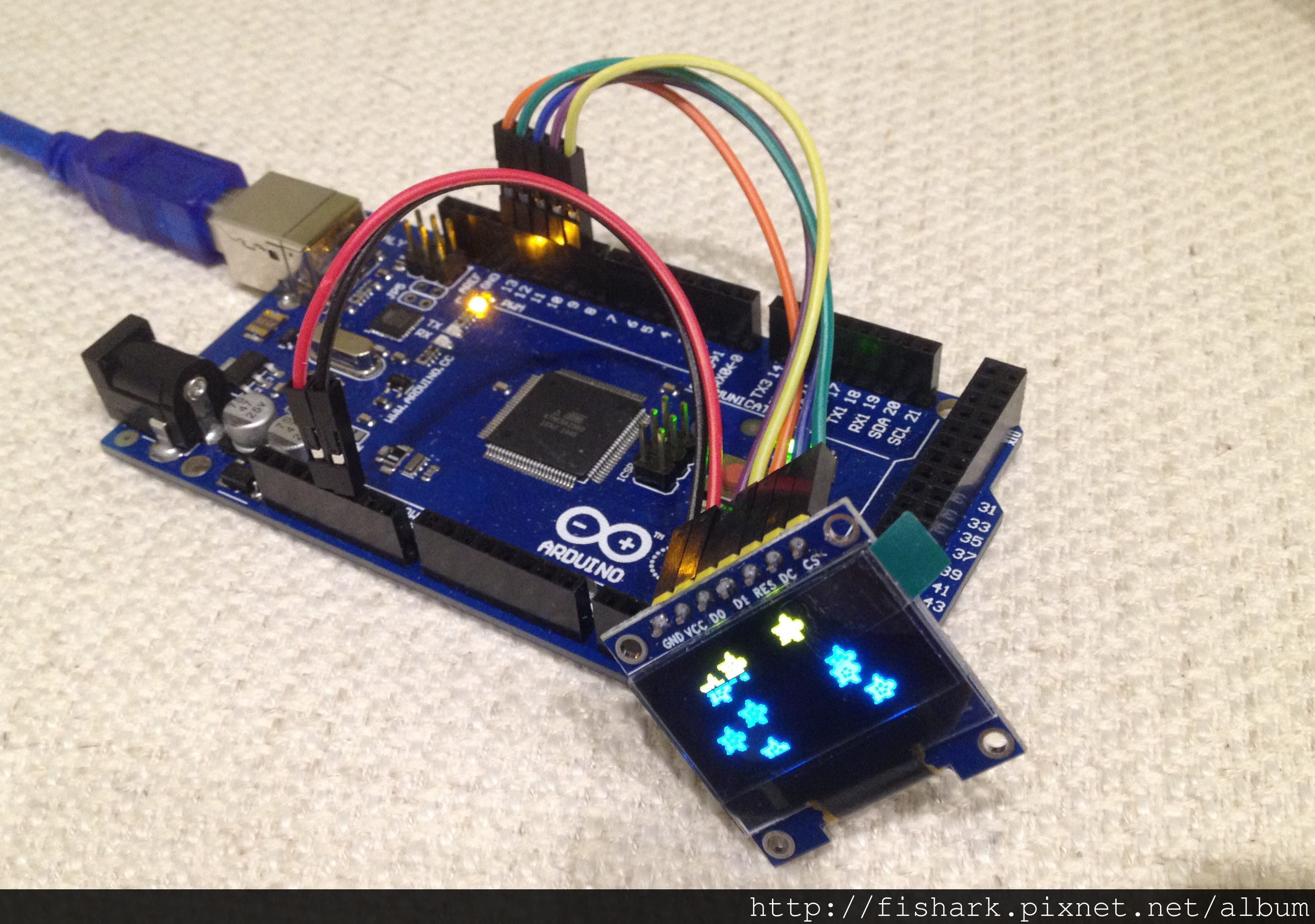
oled.drawbitmap(30, 16, logo16_glcd_bmp, 16, 16, 1);
oled.display();
oled.ssd1306_command(SSD1306_INVERTDISPLAY);
delay(1000);
oled.ssd1306_command(SSD1306_NORMALDISPLAY);
delay(1000);
testdrawbitmap(logo16_glcd_bmp, LOGO16_GLCD_HEIGHT, LOGO16_GLCD_WIDTH);
}
void loop()
{
for (uint8_t i=0; i<SSD1306_LCDWIDTH; i++) {
for (uint8_t j=0; j<SSD1306_LCDHEIGHT; j++) {
oled.setpixel(i, j, WHITE);
oled.display();
}
}
}
void testdrawbitmap(const uint8_t *bitmap, uint8_t w, uint8_t h) {
uint8_t icons[NUMFLAKES][3];
srandom(666);
for (uint8_t f=0; f< NUMFLAKES; f++) {
icons[f][XPOS] = random() % SSD1306_LCDWIDTH;
icons[f][YPOS] = 0;
icons[f][DELTAY] = random() % 5 + 1;
Serial.print("x: ");
Serial.print(icons[f][XPOS], DEC);
Serial.print(" y: ");
Serial.print(icons[f][YPOS], DEC);
Serial.print(" dy: ");
Serial.println(icons[f][DELTAY], DEC);
}
while (1) {
for (uint8_t f=0; f< NUMFLAKES; f++) {
oled.drawbitmap(icons[f][XPOS], icons[f][YPOS], logo16_glcd_bmp, w, h, WHITE);
}
oled.display();
delay(200);
for (uint8_t f=0; f< NUMFLAKES; f++) {
oled.drawbitmap(icons[f][XPOS], icons[f][YPOS], logo16_glcd_bmp, w, h, BLACK);
icons[f][YPOS] += icons[f][DELTAY];
if (icons[f][YPOS] > SSD1306_LCDHEIGHT) {
icons[f][XPOS] = random() % SSD1306_LCDWIDTH;
icons[f][YPOS] = 0;
icons[f][DELTAY] = random() % 5 + 1;
}
}
}
}
void testdrawchar(void) {
for (uint8_t i=0; i < 168; i++) {
oled.drawchar((i % 21) * 6, i/21, i);
}
}
void testdrawcircle(void) {
for (uint8_t i=0; i<SSD1306_LCDHEIGHT; i+=2) {
oled.drawcircle(63, 31, i, WHITE);
}
}
void testdrawrect(void) {
for (uint8_t i=0; i<SSD1306_LCDHEIGHT; i+=2) {
oled.drawrect(i, i, SSD1306_LCDWIDTH-i, SSD1306_LCDHEIGHT-i, WHITE);
}
}
void testfillrect(void) {
for (uint8_t i=0; i<SSD1306_LCDHEIGHT; i++) {
oled.fillrect(i, i, SSD1306_LCDWIDTH-i, SSD1306_LCDHEIGHT-i, i%2);
}
}
void testdrawline() {
for (uint8_t i=0; i<SSD1306_LCDWIDTH; i+=4) {
oled.drawline(0, 0, i, SSD1306_LCDHEIGHT-1, WHITE);
oled.display();
}
for (uint8_t i=0; i<SSD1306_LCDHEIGHT; i+=4) {
oled.drawline(0, 0, SSD1306_LCDWIDTH-1, i, WHITE);
oled.display();
}
delay(1000);
for (uint8_t i=0; i<SSD1306_LCDWIDTH; i+=4) {
oled.drawline(i, SSD1306_LCDHEIGHT-1, 0, 0, BLACK);
oled.display();
}
for (uint8_t i=0; i<SSD1306_LCDHEIGHT; i+=4) {
oled.drawline(SSD1306_LCDWIDTH - 1, i, 0, 0, BLACK);
oled.display();
}
}
|